How to manage multiple Facebook Pages
Last checked 1 November 2026
Keep every Page in one place, plan each Page's week ahead, and write for each audience. The hard part of running several Pages is keeping track of them, so a single calendar helps most.
Option 1: Meta Business Suite
Business Suite is free. Keep your Pages in one business portfolio, switch between them, and use the Planner to see each Page's week. It works well for two or three Pages. Meta's help pages don't list a way to send one post to several Pages, so plan on creating each one separately.
Option 2: a scheduler built for many Pages
With Trend Scheduler you connect your Pages once, then write one post and send it to as many as you choose. Each Page can have its own time.
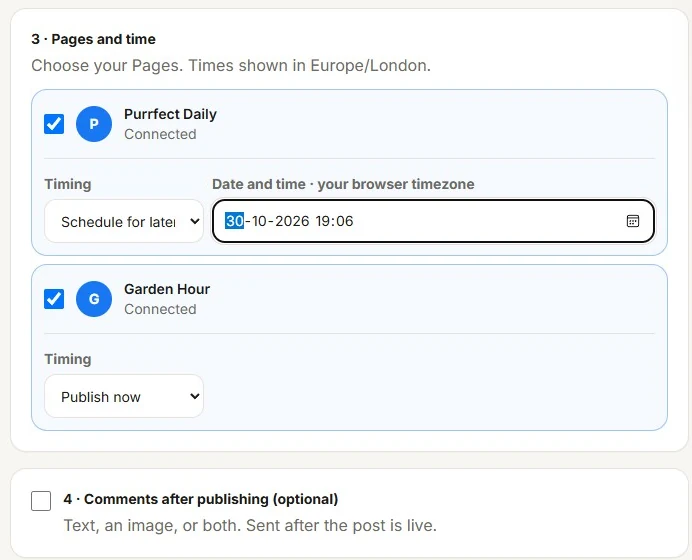
Plans cover 5, 15 or 40 Pages. See what that costs compared with other tools.
Keep Pages posting with Buckets
Put your posts in a bucket and set posting times for each Page. At each time the next post goes out by itself, and Repeat sends your good posts round again.
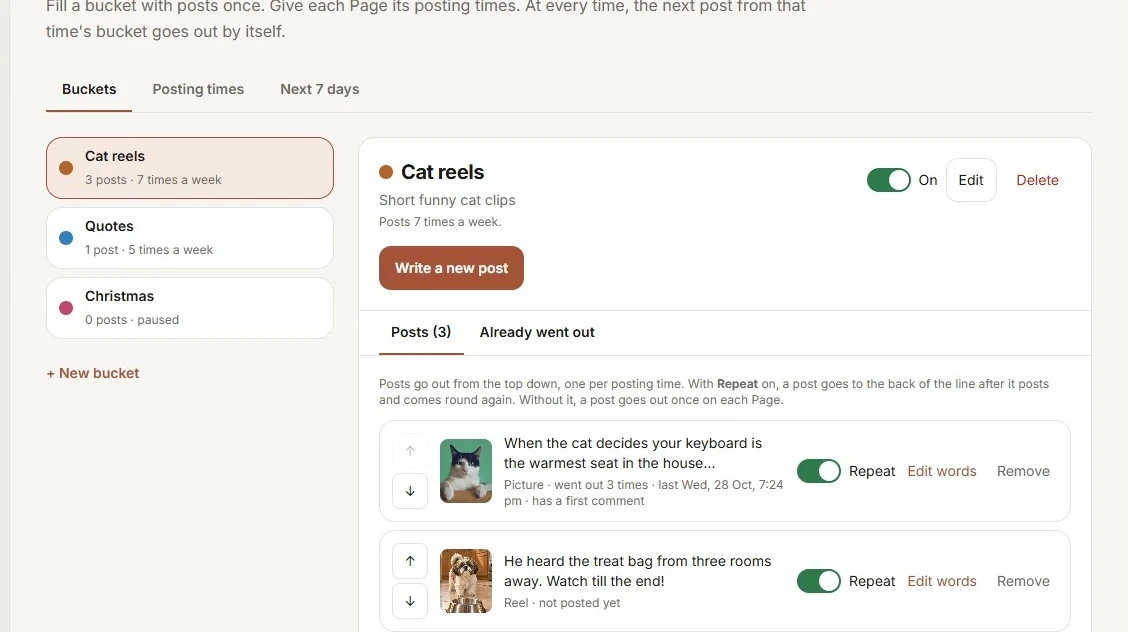
A simple weekly routine
- On Monday, look at what did well on each Page last week.
- Write or collect the week's posts for each Page.
- Schedule them, with different times for different Pages.
- Check comments every day. Replies are the part you can't schedule.
What to avoid
Don't post the same thing across lots of Pages to chase numbers. Meta's monetization rules name high volume crossposting and manufactured sharing as things that can cost a Page its eligibility. Give each Page posts that suit its own audience.
Also keep the people who manage your Pages up to date. Remove access when someone leaves.