How to add a link to a Facebook post
Last checked 1 November 2026
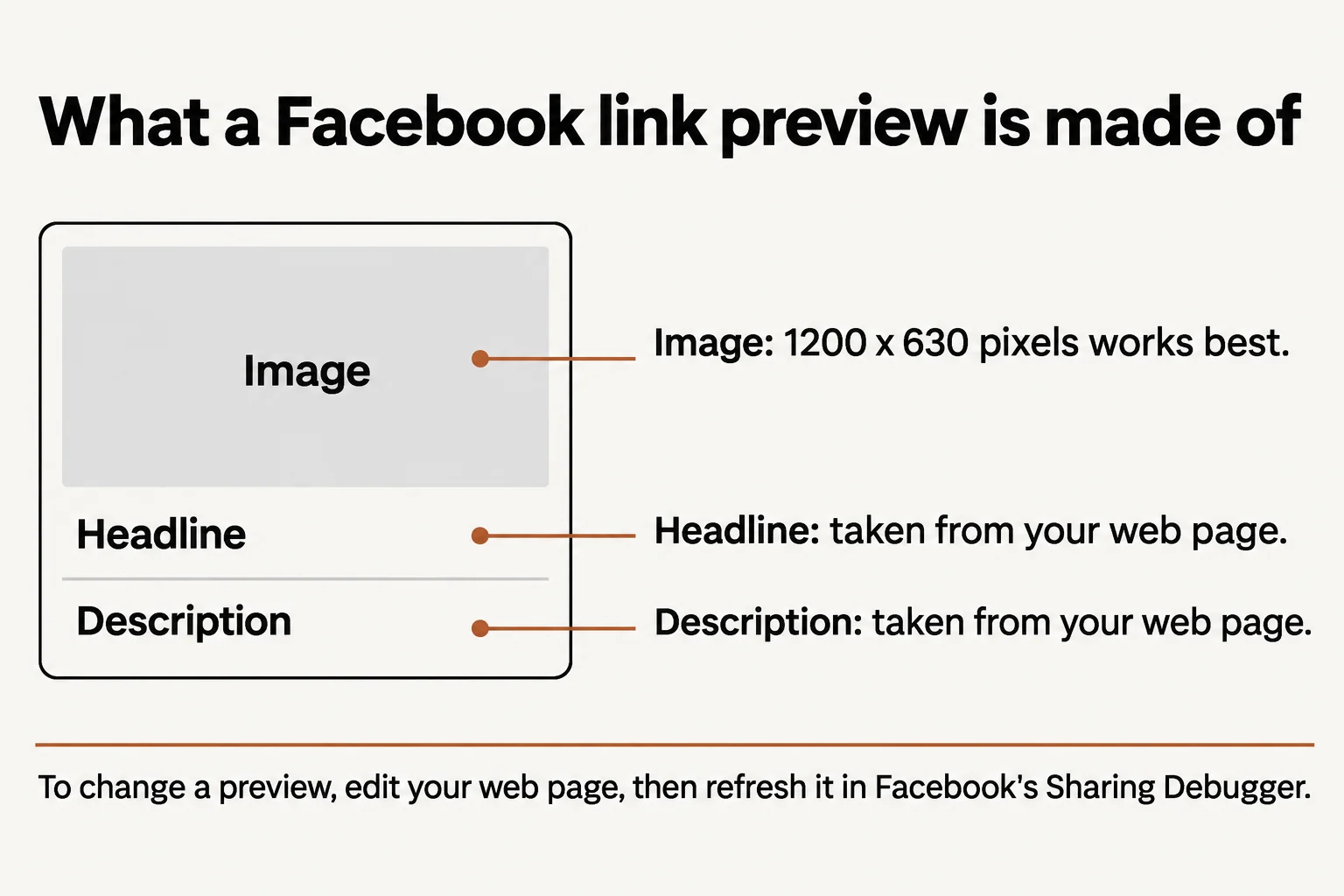
Paste the link into your post, wait for the preview to appear, add your text and publish. Facebook builds the picture and headline from the web page you're linking to.
How to add a link to a Page post
- Start a new post from your Page.
- Paste the full link into the post box.
- Wait a moment for the preview card to load.
- Add a sentence saying why it's worth opening.
- Publish, or schedule it for later.
You can remove the preview card with the X before you publish.
How to change the picture or headline
Most Pages can't edit a link's headline, description or image in Facebook. Meta removed that to stop misleading previews. Publishers and creators can edit the title and image for domains they own and have verified in Business Suite.
Everyone else changes the preview on the website itself:
- Update the page's Open Graph tags:
og:title,og:descriptionandog:image. - Use an image of 1200 x 630 pixels. Meta's minimum is 200 x 200, and the limit is 8 MB.
- Open Facebook's Sharing Debugger and refresh the link.
A new image needs a new image address, because Facebook remembers images by their address.
Can you edit a link after posting?
You can edit a published post's text from the post's options menu. Meta's help pages don't say you can swap the link itself, so check it before you publish. Scheduled posts are easier: you can change the text, media or link in the Planner until they go out.
Is there a limit on links?
Meta's help pages state no limit on link posts for Pages. In December 2025 Press Gazette reported that Meta was testing a limit of two links a month on some Pages and profiles without Meta Verified. Meta hasn't published a general rule, so be careful with any number you see quoted.
How to do it in AutomatePage
Choose Link as your post type in Trend Scheduler, paste your link, write your post and pick a time. You can also put the link in a first comment.